Everyone has a phone with a camera in their pocket these days. We take photos of everything from family celebrations to our license tags for parking meters. This leads to a mixed up mess of pics in our camera roll. Wouldn’t it be nice to separate out the informational screenshots, silly memes and special family photos?
Or to keep your personal and work photos separate, even though you take them with the same device. Yes, it is possible!
Have you wanted a way to consolidate the pictures you and your spouse take into a unified family collection? I can merge Android and Apple photos into one library.
My goal is to help you make the best use of your photos and implement a plan to maintain your collection going forward.
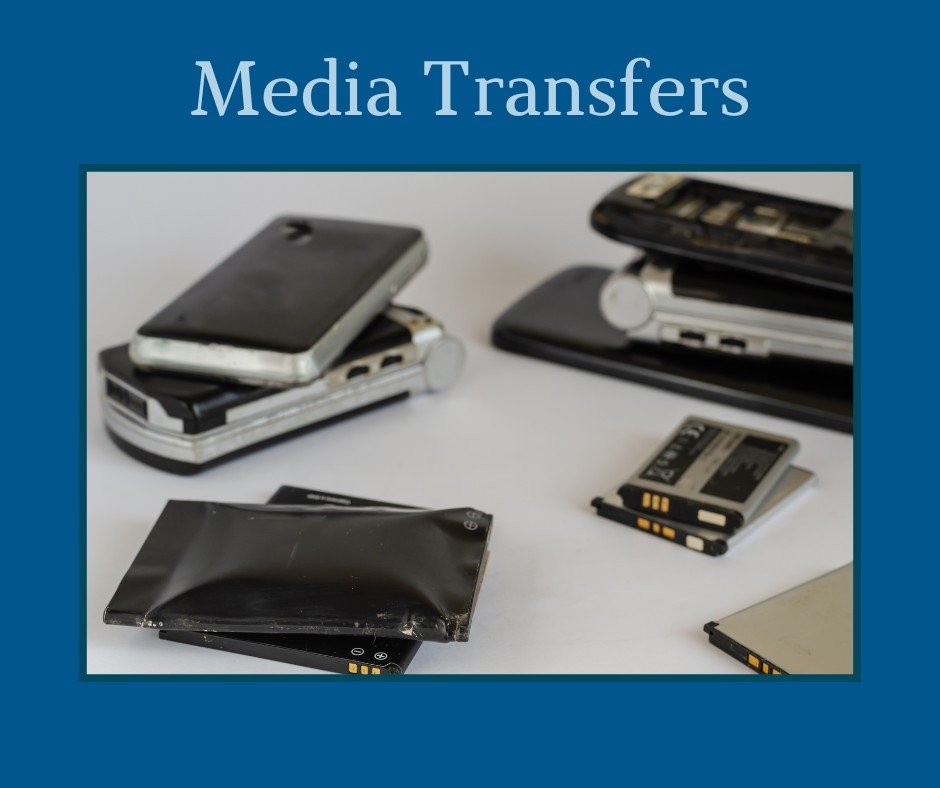
Step One of Digital Photo Organizing begins with gathering the image files from all the devices and platforms where they hide (CDs, flash drives, photo hosting sites, old camera cards, etc.)
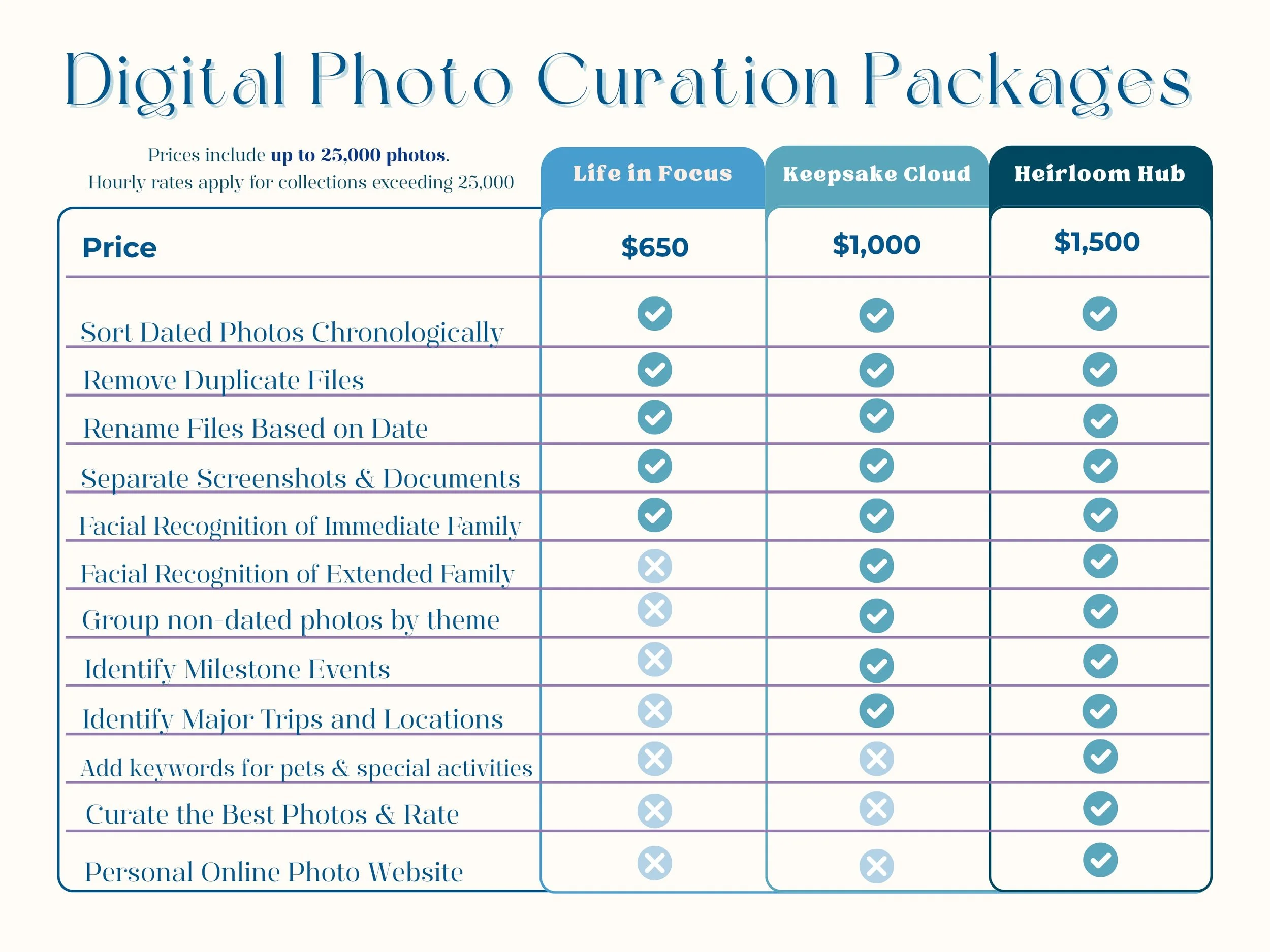
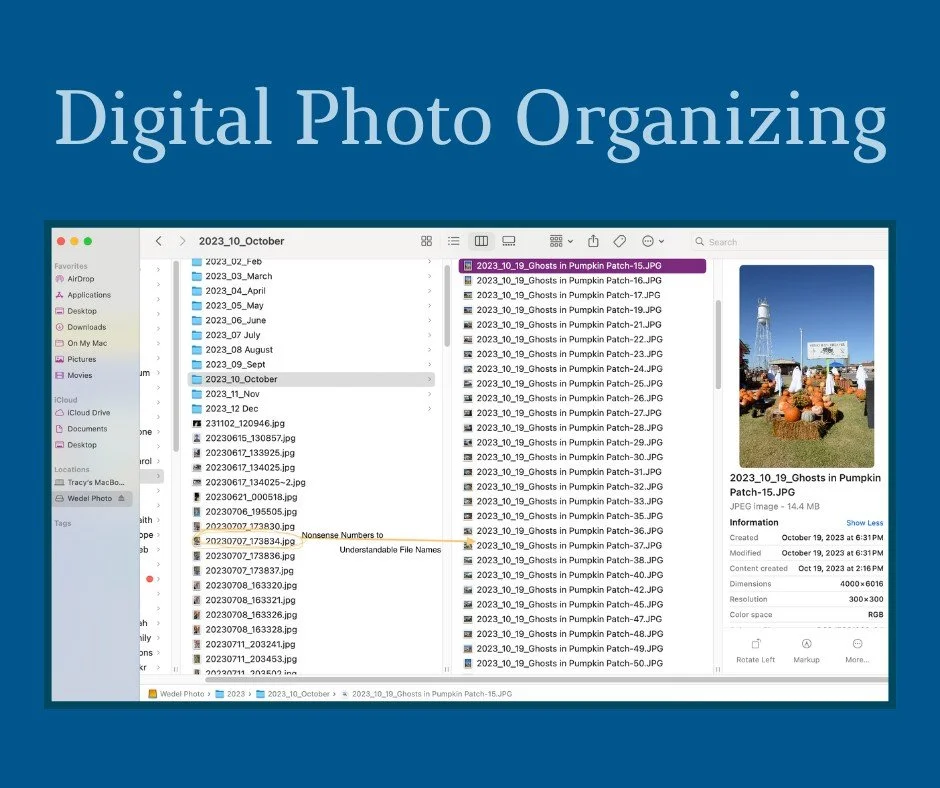
Then, we merge them together in a unified collection, remove duplicate images, and sort it all chronologically.
This step includes creating folders by year and month and renaming files from img1234 to a date and subject like 2024_12_01_Nikki’s Birthday Party
I will create separate folders to store screenshots, memes, photos of important documents, and video files.
Step Two of Digital Photo Organizing includes curating your collection by identifying and separating dark and blurry duds or totally random photos; selecting the best photos from a series; adding metadata to make your collection searchable; facial recognition or person tagging for up to twelve people; keywords for events, places, occasions, pets, activities and more to make your collection easily searchable.and provide safe solutions for securely backing up your collection.
Having a structured file system will enable us to add scanned images of printed photos and memorabilia to your collection in later steps to create a complete family photo hub.

Enjoy Your Memories!

Step 3: Once your photos have been de-duplicated, organized, curated, scanned, and tagged with names, occasions, and places you’ve visited, I can create a private customized website so that you can enjoy your memories on a computer or mobile device.
SmugMug and Mylio are popular choices for digital photo organizing and storage.
You may be wondering…..
-
If you have ever felt overwhelmed trying to find a particular photo or document because your files are scattered across systems and devices, then you need digital organization.
I will collect your files from across computers, devices, cloud storage, CDs, and camera cards and merge them into a unified, searchable system. This ensures that you can back up your files, easily find the photos you want, and preserve your legacy for future generations.
-
When I organize a digital collection, I collect all of the files from your current computer, old devices, camera cards, cloud accounts, and outdated media like CD-ROMs and merge them together in one system.
I sort all of those files into chronological order and remove duplicate files that eat up storage space. While sorting, I create separate folders for documents, information you have captured with your camera, screenshots, and random photos that don’t really tell your story. This removes photos that don’t hold value to you.
For the important images that remain, I add key words for people, events, and places to ensure that your photos are archived into a photo hub that is easily searchable and beautifully organized.
-
That’s okay! I will work with you to find those hidden files on devices, cloud accounts and other media. I can assist you in resetting passwords and recovering access, if needed.
-
I collect images from popular cloud services like iCloud, Amazon Photos, Google Photos, Shutterfly, Dropbox, Professional Photographer’s sites, etc. as well as from CDs, smart phones, tablets, memory sticks, external hard drives, SD cards, and cameras. I can work with both Mac and Windows, Apple and Android.
To save time, back up all devices and hard drives before I begin and gather usernames and passwords for online accounts and ensure they work before I can access them.
I take your privacy and security seriously and hold everything in confidentiality. See my terms and privacy for more details.
-
The timeline is dependent on variables such as the size of your collection, current state of organization, number of devices and platforms to access, etc.
Your project is as unique as the path that created it. At our initial consultation, we will discuss your goals and survey the complexity of your assets and I will give you an overview of the project. Then, if you wish to proceed, I can create a tailored assessment package with an inventory of your assets and a roadmap to complete your project and the estimated time and cost. You can then choose to use the roadmap to do it yourself or hire me to do it all for you.
-
I will create a structured, chronological, folder system to house your photos and videos — tagged with metadata and renamed to make sense.
Your files will be easy to search, browse, backup, and transfer to any device or cloud service.
-
The system I create will allow you to replicate the structure into the future.
If you don’t want to do it yourself, I offer ongoing maintenance packages to help you stay organized as you add new memories.
-
Yes!
I recommend the 3-2-1 method to create a secure backup system of your files. This involves multiple backups kept both locally (on external hard drives) and in the cloud or a secondary secure location.
I will help you set up a reliable system to ensure your peace of mind.