Google Photos is a super-smart photo library in the cloud.
It’s very convenient—especially for Android users—it is easy to set up and share photos with others. The infrastructure is strong and secure, and its search capabilities are some of the best available. You can quickly find photos by faces, places, or even objects, thanks to AI-powered tools.
That said, this level of intelligence comes with trade-offs.
Google Photos uses encryption to protect your data, but it is not “zero-knowledge” private. In simple terms, Google manages the encryption keys rather than the user alone. For many people, this isn’t a concern—but it may not align with those who prefer complete control over their data or want to avoid any involvement with AI-based analysis.
Google states that it does not sell your photos or use them for ad targeting. However, because the platform is not open source and not subject to independent public audits, users are relying on trust in the company’s policies and practices.
Like other major tech platforms, Google uses automated systems to detect illegal content, which is required by law. These systems are designed to err on the side of caution. While this helps prevent harmful material from being overlooked, there have been cases where accounts were flagged incorrectly. In rare situations, this can lead to account restrictions that affect access to photos, email, and files stored within the Google ecosystem.
If you’d like to explore this topic further, you can visit this resource:
https://metadatafixer.com/learn/google-account-banned-how-to-protect-photos
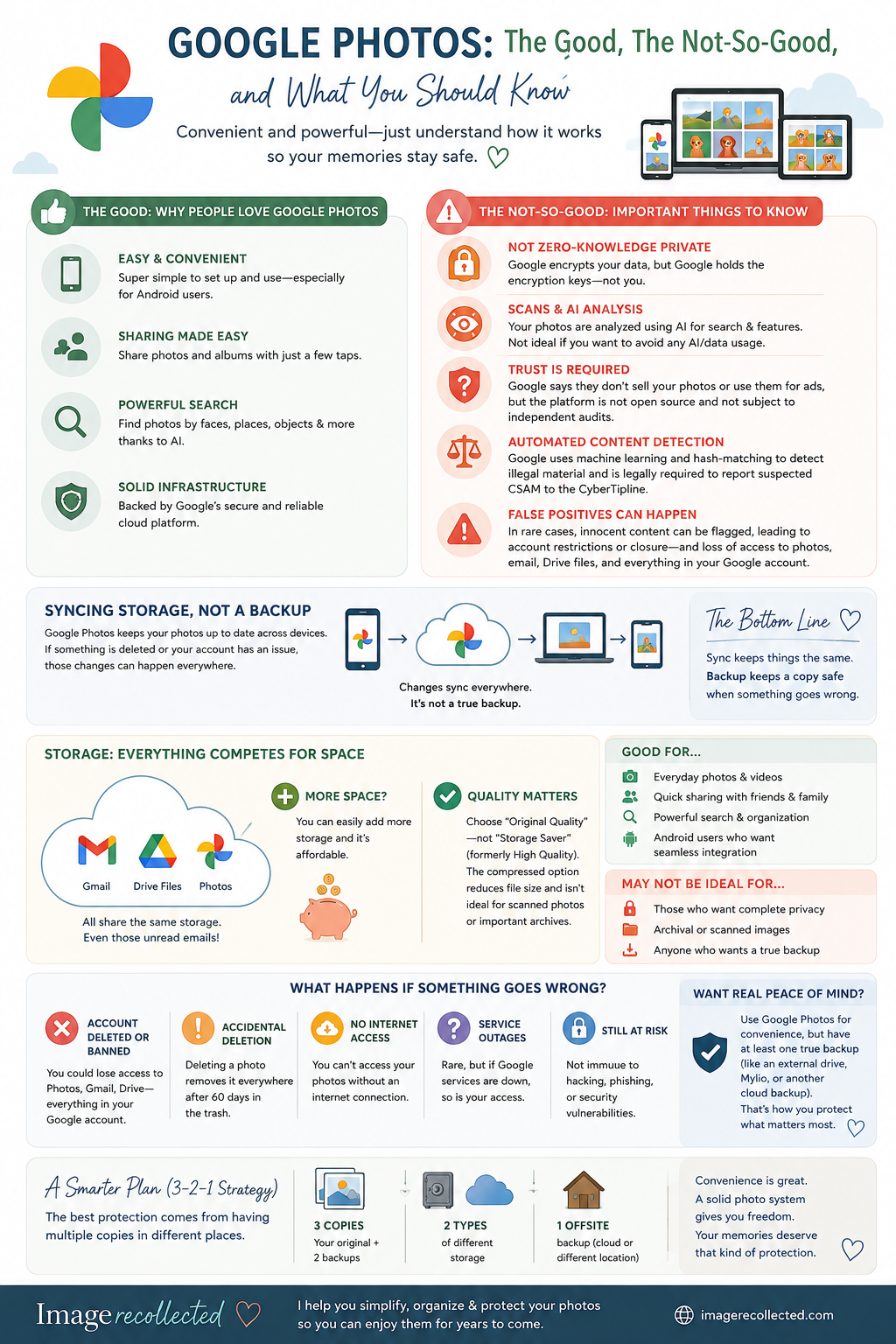
It’s also important to understand that Google Photos is a syncing storage system, not a true backup. Your photos are kept consistent across devices, but that doesn’t provide protection against accidental deletion or account issues.
Another common issue is storage management. Google Photos shares space with Gmail and Google Drive, so everything—emails, attachments, and files—counts toward the same limit. (Those thousands of unread emails? They’re part of the equation too.)
The good news is that additional storage is affordable and easy to add when needed.
One final tip: if you choose to use Google Photos, make sure “Original Quality” is selected instead of “Storage Saver” (formerly called High Quality). The compressed option reduces file size, which is often unnoticeable for everyday use—but it may not be ideal for important images like scanned photos or archives.
If you love using Google Photos, but need help to create a secure, separate backup of your files, schedule a free discovery call to discuss your options.